TIDEZINE.

BenQ ScreenBar Max Review: A $289 Dual-Monitor Light Bar—Worth It?

BenQ's first light bar built for dual-monitor setups, the ScreenBar Max, comes with mmWave sensing and studio-grade color accuracy, but its starting price of $289 puts this light bar in an awkward spot.

Jordan Lin, Deputy Editor
BenQ ScreenBar Max Review: A $289 Dual-Monitor Light Bar—Worth It?

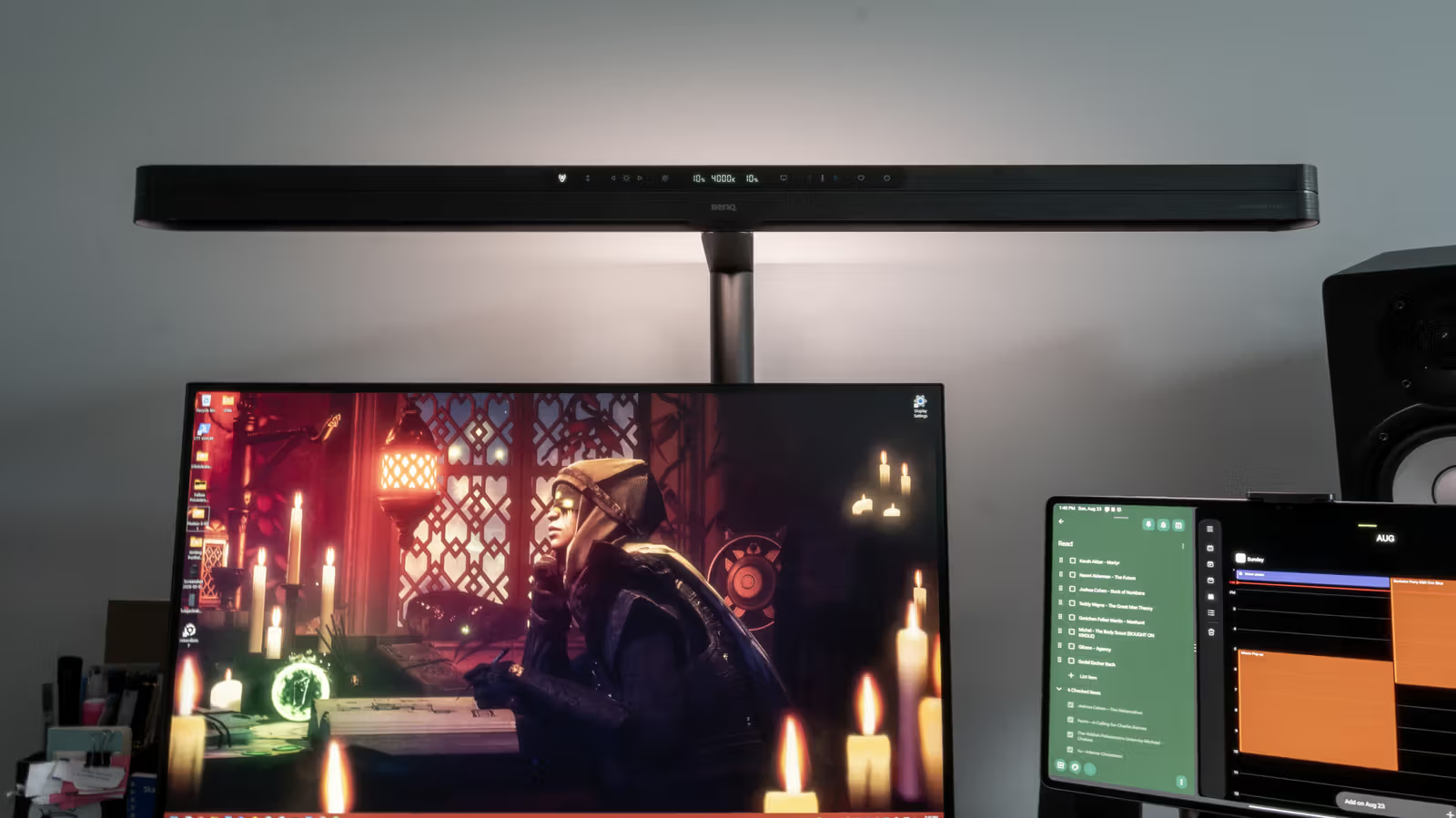
You walk up to your desk, and before you even flip a switch, the light turns on by itself. This isn't science fiction—it's the mmWave sensor built into the BenQ ScreenBar Max at work, detecting the moment you sit down and gradually brightening the light rather than snapping fully on all at once. Engadget editor Max Miller, who tested the light bar for five days, said the feature initially made him wary, worried about false triggers or interruptions. But it turned out to work quite reliably: his desk sits near his bedroom door, and no matter how many times he walked in and out or pulled up his chair, the sensor never misfired—it only activated when he actually sat down.

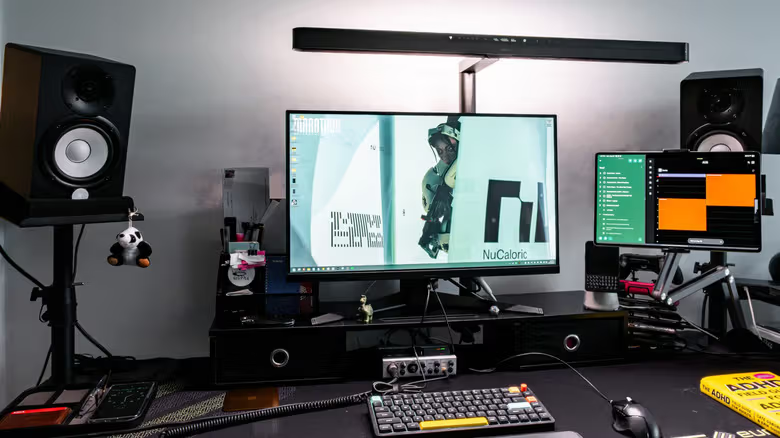
The ScreenBar Max is one of two new screen light bars BenQ announced today, and it's the brand's first ScreenBar designed specifically for dual-monitor setups—the bar is long enough to span two screens and provide fill light for both at once. It combines two functions in one: bias lighting and desk lighting. The bias light illuminates the wall behind your monitor, reducing the contrast between screen brightness and surrounding darkness to ease eye strain from long hours of screen time, while the desk light helps you clearly see your keyboard, mouse, and paper documents.
BenQ ScreenBar Max evaluation:雙螢幕光棒賣289美元,值得嗎?

The problem is the price. The ScreenBar Max costs $289, and adding the optional mounting arm tacks on another $39, making it BenQ's most expensive ScreenBar product to date. Miller states plainly in his review that the same budget could buy four or five cheaper lights—sure, the build quality wouldn't be identical, but most of the functionality would still be covered.

Sensing and Color Accuracy Are Its Strong Suits
BenQ ScreenBar Max evaluation:雙螢幕光棒賣289美元,值得嗎?

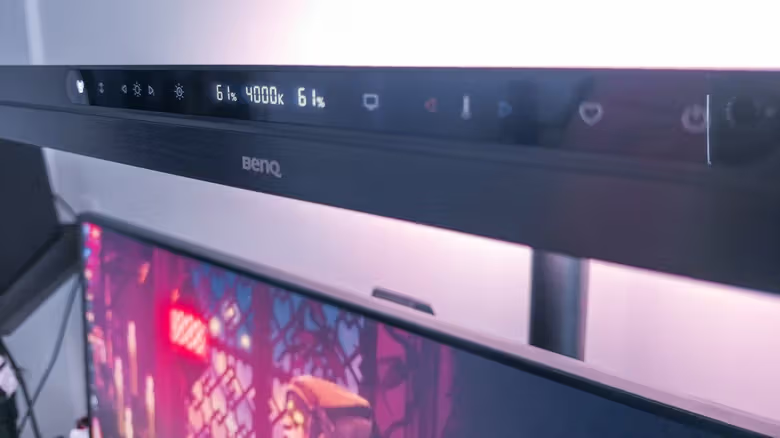
The ScreenBar Max lets you adjust the brightness of the bias light and desk light separately, but color temperature is shared between the two, staying within a 2700K to 6000K range. To switch which light you're adjusting, you have to cycle through a mode button that toggles between "bias," "desk," and "both." Miller says this wouldn't be a knock against a cheaper light bar, but at this price point, it feels like one or two unnecessary extra steps.
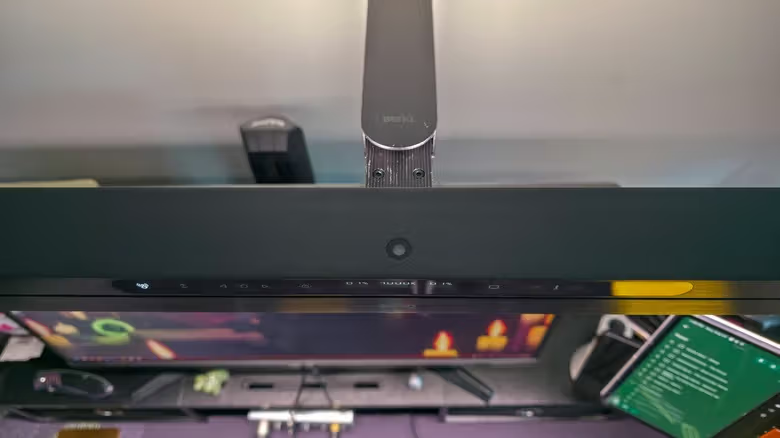
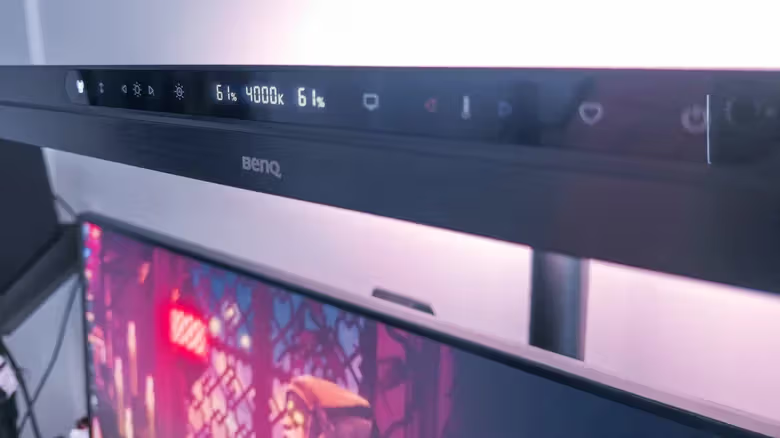
Color accuracy, however, gave him nothing to complain about. BenQ's official specs list CRI at Ra≥95, Rf>96, and Rg around 100—"studio-grade," in his words—and throughout testing there was no glare, flickering, or heat buildup to speak of. The control panel also includes a sensor toggle, brightness and color temperature adjustment buttons, a one-touch shortcut that automatically dims to a 700 lux ambient brightness, a one-touch switch to a 4000K neutral white reading mode for screens, and customizable preset shortcuts for saving your own lighting scenes.

BenQ ScreenBar Max evaluation:雙螢幕光棒賣289美元,值得嗎?

Mounting Flexibility Is Its Only Real Weak Point

The base uses a rotating, foldable C-clamp, and the power cable can be routed along the back of the light arm to the outlet, so installation itself isn't difficult. But Miller's desk already had a cable management box occupying the spot where he wanted to mount it, so he ended up installing it on his monitor riser instead. While the arm can extend forward quite a bit, if you have a wall-mounted monitor that needs to sit further back, the adjustable range starts to feel insufficient.

BenQ ScreenBar Max evaluation:雙螢幕光棒賣289美元,值得嗎?

His test setup included a 27-inch ASUS IPS monitor paired with a 14.6-inch Samsung OLED tablet, mounted at a side angle as a secondary information display. The ScreenBar Max didn't cause noticeable glare on either screen—only the Samsung tablet's aluminum bezel picked up a slight reflection. Overall brightness was more than enough to cover the entire surface of his 63-inch Eureka Gaming desk.

Miller's conclusion is straightforward: the ScreenBar Max is indeed a top-tier light bar—he describes the experience of being "woken up" by the light as feeling like Iron Man, and the light quality really is gorgeous. But if he were paying out of his own pocket, he wouldn't pick this one, since the same budget could get comparable alternatives. His advice: if you can expense it to your company, go ahead and try it out; but if the price gives you pause, you're probably better off looking elsewhere.

Related

Commodore 77: CD Projekt Red Deliberately Distresses the C64 Ultimate into a Night City Prop Machine
Tech

Commodore 77: CD Projekt Red Deliberately Distresses the C64 Ultimate into a Night City Prop Machine

Retro brand Commodore has teamed up with CD Projekt Red to launch the Commodore 77, taking the brand-new C64 Ultimate and giving it graffiti and battle damage. It's up for preorder now at $377, though the shipping date hasn't been announced.

Musk Sends NVIDIA's Most Advanced Chips to Space, and Orbit Is the Least of Starmind's Problems
Tech

Musk Sends NVIDIA's Most Advanced Chips to Space, and Orbit Is the Least of Starmind's Problems

SpaceX has filed with the FCC to launch up to a million satellites for its Starmind project, with the first batch of AI1 satellites set to run on NVIDIA's Vera Rubin GPUs. But radiation exposure and cost issues could make the 2027 launch timeline far tougher than it sounds.

iPhone Lost and Getting Extorted to Turn Off Find My? That's Exactly When You Shouldn't
Tech

iPhone Lost and Getting Extorted to Turn Off Find My? That's Exactly When You Shouldn't

There are actually very few situations where Apple's Find My should be turned off — mainly when selling a device or sending it in for repair. But if your phone is genuinely lost or stolen, don't fall for extortion messages telling you to disable it.

Claude's Memory Now Bridges Chat and Cowork, With Sensitive Topic Recall Left to Users
Tech

Claude's Memory Now Bridges Chat and Cowork, With Sensitive Topic Recall Left to Users

Anthropic has updated Claude's memory system so that chat history and the automation tool Cowork now share memory. A new "record sensitive topics" toggle also lets users decide whether information like health or religion gets remembered.

From Thirty a Year to Just Reskins: Why Movie Tie-In Games Disappeared
Tech

From Thirty a Year to Just Reskins: Why Movie Tie-In Games Disappeared

In 2007, there were still over thirty licensed movie tie-in games on the market. By 2025, all that's left is a limited-time event server for the Minecraft movie and a Fortnite skin for The Fantastic Four: First Steps. Money and time are the two keywords behind this extinction.

Xbox's 25th Anniversary Gear Goes All-In on See-Through Green, with Razer, 8BitDo, and GameSir Joining the Nostalgia Trip
Tech

Xbox's 25th Anniversary Gear Goes All-In on See-Through Green, with Razer, 8BitDo, and GameSir Joining the Nostalgia Trip

As Xbox approaches its 25th anniversary, Microsoft has teamed up with brands like Razer, 8BitDo, and GameSir to roll out a lineup of translucent green accessories, paying tribute to the shell of that iconic 2001 console.