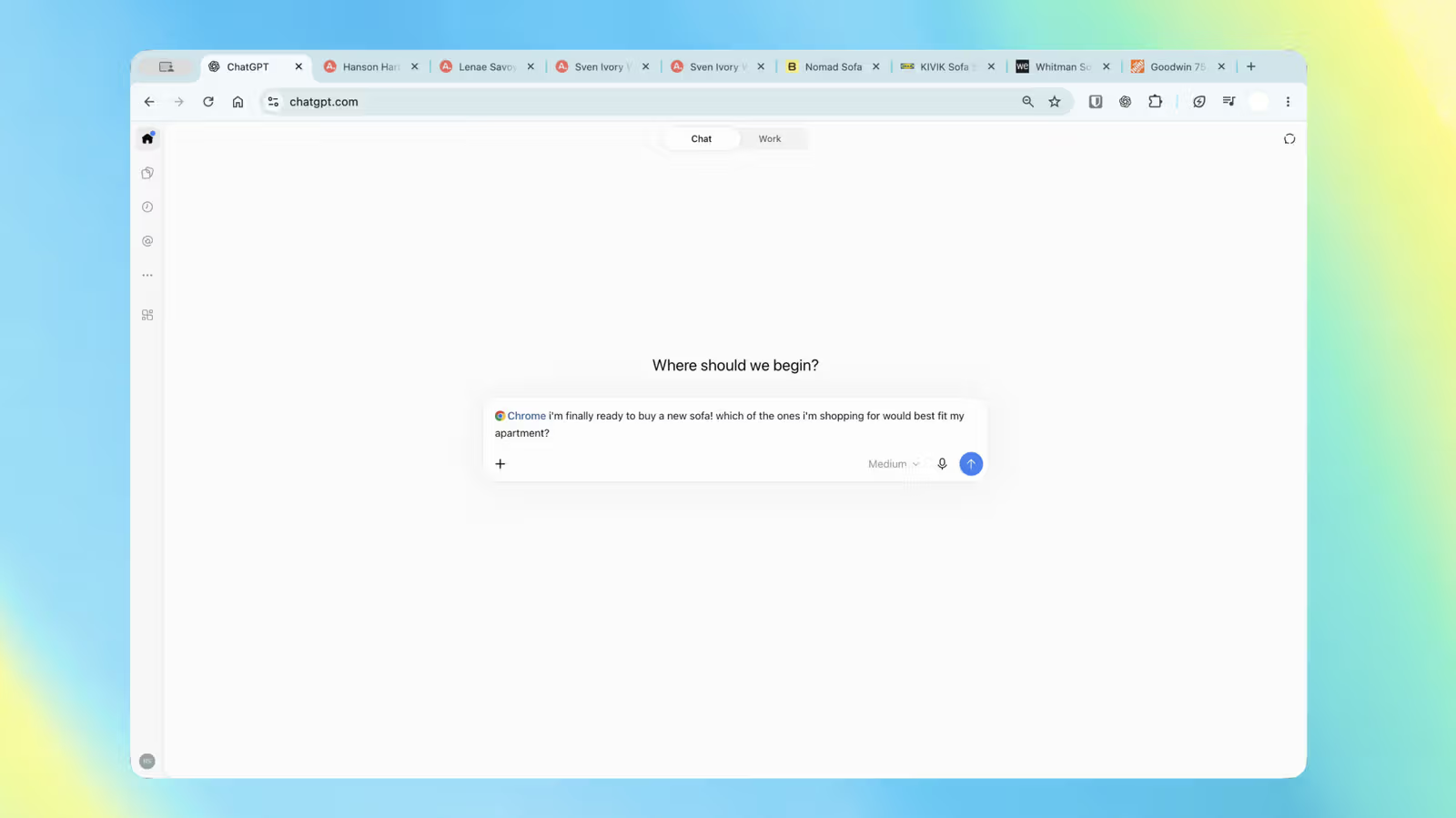
Three tabs open with sofa listings from different stores, manually cross-checking dimensions, prices, delivery times, and return policies—that kind of tedious task can now be handed straight to ChatGPT. OpenAI has updated the ChatGPT Chrome extension so that in Chat mode, it can read the content of your currently open tabs and pull together a side-by-side comparison for you.
This update comes against the backdrop of OpenAI shutting down its own browser product this past August 9, though the extension keeps getting beefed up, positioning ChatGPT in the browser as a real alternative to Gemini. With this latest update, ChatGPT's ability to handle tab-based tasks has taken another step forward.
For those using ChatGPT Work—OpenAI's agentic mode designed for handling complex, multi-step tasks—what it can do gets a lot more hands-on: ask it to fill out a registration form for a new dentist appointment, then add the visit to your calendar; or feed it the terms from multiple contractor tabs and have it analyze them, drafting a reply email to whichever contractor best fits your needs. Sending messages, filling out forms, organizing tabs—these are all things Work mode will actually carry out, not just suggest.
Another change shows up in the sidebar. ChatGPT's Chrome sidebar can now access a user's full conversation history, meaning you can pick up where you left off without switching tabs, assigning tasks while browsing.
The extension is installable across all paid plans and isn't limited to Chrome—Chromium-based browsers like Microsoft Edge, Brave, and Opera are also supported. OpenAI's official account demoed the update on social media on October 15, emphasizing that ChatGPT's conversation history and both Chat and Work modes can now run side by side right in the browser.