Don’t just use the defaults in Android Auto: Developer mode and Gemini shortcuts hide more uses
From clearing the Adobe Acrobat icon on the home screen to unlocking developer mode and tying Gemini as a voice shortcut, Android Auto has more room for customization than most people imagine.
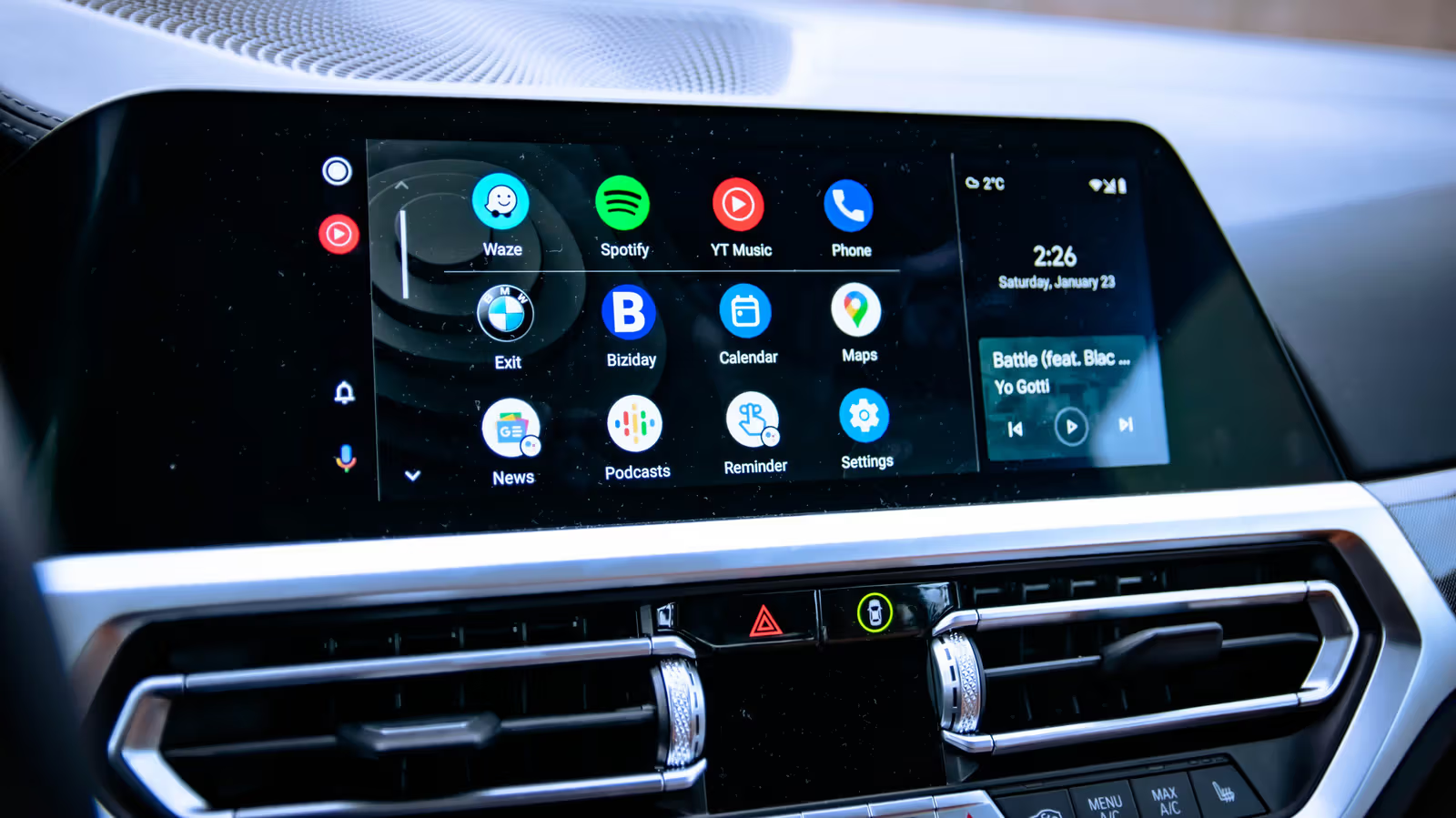
As soon as the phone is connected to the car, the main screen of Android Auto is automatically filled with more than a dozen icons, including shortcuts to Adobe Acrobat and IFTTT - this is what happened in the actual test of Engadget by the author Gabriela Vătu in her own car. Both apps are great to use on your phone, but the chances of you clicking them while driving are almost zero. Her arrangement highlights an easily overlooked fact: Android Auto's default screen has never been an interface tuned for a specific user.
Currently, more than 250 million cars around the world are using Android Auto, but most people use it directly after connecting their mobile phones and the system pops up, and rarely click more in the settings. In fact, with just a few minutes of tweaking, you can make your home screen cleaner, unlock developer options you wouldn’t normally see, and even set Gemini as a voice shortcut that will send messages for you.
Clear the home screen and unlock developer options
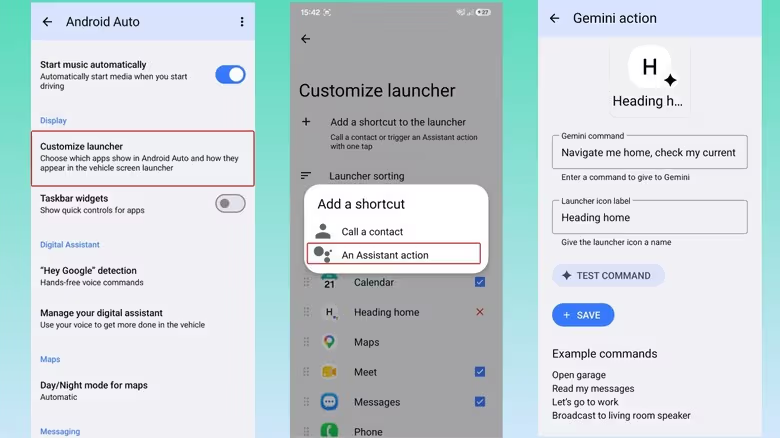
Enter the Android Auto app on your phone and click "Customize launcher" to decide which apps stay on the car's home screen and which apps are hidden. You can also reorder frequently used navigation, calling, messaging, and media playback tools forward.
If you want to go further, you can scroll down the Android Auto setting page to "About" or "Version" and click it about 10 times in succession. A confirmation message will pop up on the screen, indicating that the developer mode is turned on. Then click the three-dot menu in the upper right corner and enter "Developer Settings". You can check the box to allow the phone to connect to the car wirelessly - but this will speed up the power consumption and the connection may be delayed. If you don't want to use wireless connection, just uncheck it. In the same menu, you can also manually force the video resolution to prevent the picture from blurring when the network slows down. After exiting Developer Settings, you can also force the interface theme to be fixed in day or night mode in the settings without the system automatically switching.
Automatic playback and start as soon as you get in the car
Android Auto has an option that automatically launches the interface as soon as the phone is in the car. There is no need to unlock the phone first. This is applicable whether the vehicle's native wireless connection is used or an external adapter is used. Another switch that is easily overlooked is "Start music automatically" - by default, music will automatically continue playing when the car is connected, but if the volume was turned up very loud the night before, or if there are children in the car and you don't want the podcast to automatically continue playing, you can turn off automatic playback here.
Make Gemini a voice shortcut that knows how to do things
Google says the old version of Google Assistant will be retired this fall, with Gemini taking over the role on Android Auto. Those who want to switch in advance can go to "Digital Assistant" ” "Manage your digital assistant" ” "Digital assistants from Google" in Android Auto settings and select Gemini. The same menu can also select Gemini's voice, decide whether to interrupt it directly, and whether to allow it to read the text and screen content on the screen to improve the accuracy of responses.
What’s even more interesting is the shortcut function: Go back to “Customize launcher” and select “Add a shortcut to the launcher” ” “An Assistant action” to fix a custom command as a button on the home screen. Gabriela Vătu gave an example of her own setting in the article: "Navigate home, confirm the current estimated arrival time, and send a WhatsApp message to my husband to tell him that I am on the way and when I will arrive." This command will simultaneously set the route home, check the ETA, and automatically send the message. She also mentioned that it can be extended to check traffic conditions, play Spotify playlists, read out the day's calendar, or link the sweeping robot and thermostat at home to automatically start when going out or arriving home.
The above adjustments are all completed within the built-in settings of Android Auto, and no additional tools or cracking of the phone are required. The material does not provide the exact date when the function will be launched and the list of applicable car models. The actual menu location may be slightly different depending on the mobile phone or car version.