Replace the Battery or Buy a New One? Apple Watch's $99 Turning Point
A dying battery doesn't mean it's time to retire your watch. Apple's official $99 repair option, combined with watchOS support cutoffs, determines which models are worth saving—and which ones should just be replaced.
Battery life starts shrinking, and the screen goes from all-day to barely making it past dinner—it's the fate of every lithium battery device, and Apple Watch is no exception. But that doesn't mean the watch on your wrist belongs in the recycling bin just yet.
Apple's official repair service charges a flat $99 for battery replacement, whether you go through Apple directly or an authorized provider like Best Buy, with the whole process taking about a week. Booking online or in-store is easy, and the price stays the same no matter which model you own.
AppleCare users should pay attention to one detail: the warranty does cover battery issues, including cases where capacity drops below 80%, but natural degradation from normal use isn't covered. In other words, if your watch is old enough that the battery has clearly worn down, it's probably also out of warranty by then—making this coverage effectively useless.
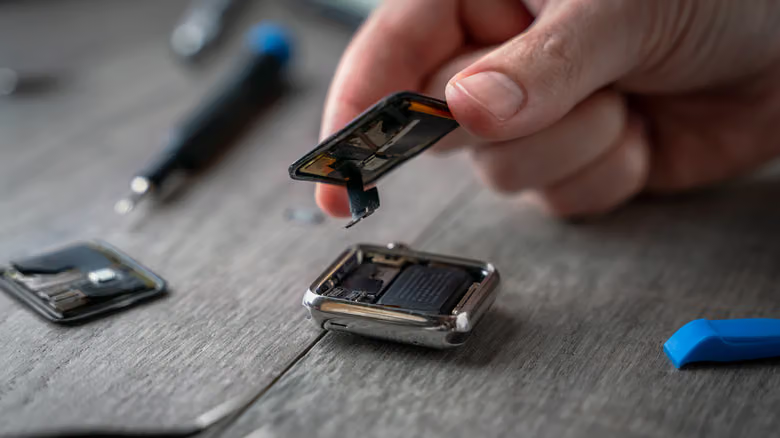
For those who'd rather skip paying Apple, there's the DIY route. iFixit sells replacement batteries, but only for the original Apple Watch and Series 1. For newer models, you'll need to source a battery yourself and follow iFixit's guides to swap it manually. This path isn't for the faint of heart—there's real risk involved, and Apple doesn't recommend it for anyone lacking confidence in their repair skills.
The Line watchOS 27 Draws
What really determines whether a repair is worth it isn't the battery itself—it's software support. The latest watchOS 27 only supports Apple Watch Series 9, SE 3, and Ultra 2 and later; Series 8 and older models miss out on this update entirely, though they'll still function normally without turning into paperweights.
Going back one more generation, watchOS 26 still supports the Series 6 and second-gen SE, which means support for the Series 5, first-gen SE, and anything older actually ended back in September 2024. In other words, plenty of people still rocking a Series 4 today are stuck without any further updates.
iPhone-side compatibility isn't much of a worry, though. Older versions of watchOS can pair with newer iOS releases—it's only the latest Apple Watch models that refuse to pair with older iPhones. For instance, the Series 11 requires an iPhone 11 or later running iOS 26 or newer.
The Repair Threshold: Series 6 or 7
Apple Watch doesn't hold its resale value as well as other Apple products, so replacing the battery won't necessarily pay for itself if you're planning to sell it—check current market prices for your model before deciding. But if you're handing the watch down to a family member or friend, a fresh battery is well worth it, potentially adding several more years of use.
Weighing the age of the device, remaining software support, and repair cost together, the Series 6 or 7—the oldest models still supported by watchOS 26—are worth the $99 to keep going. Anything older than five years, though, might make more sense to simply replace.