Samsung My FanCam Explained: How Galaxy Z Fold8 Lets You Steal the Spotlight After the Fact
Samsung has added My FanCam to the Galaxy Z Fold8 series — shoot the whole scene first, then let Galaxy AI pick the person to track and recrop the footage afterward. Here's how it works and what its limits are.
The hardest part of shooting a group photo isn't framing — it's deciding who the camera should follow. Samsung's My FanCam pushes that decision back to later. Instead of chasing a subject while you shoot, you capture the whole scene first, then let Galaxy AI pick out one person afterward and recut a follow-cam clip around them.
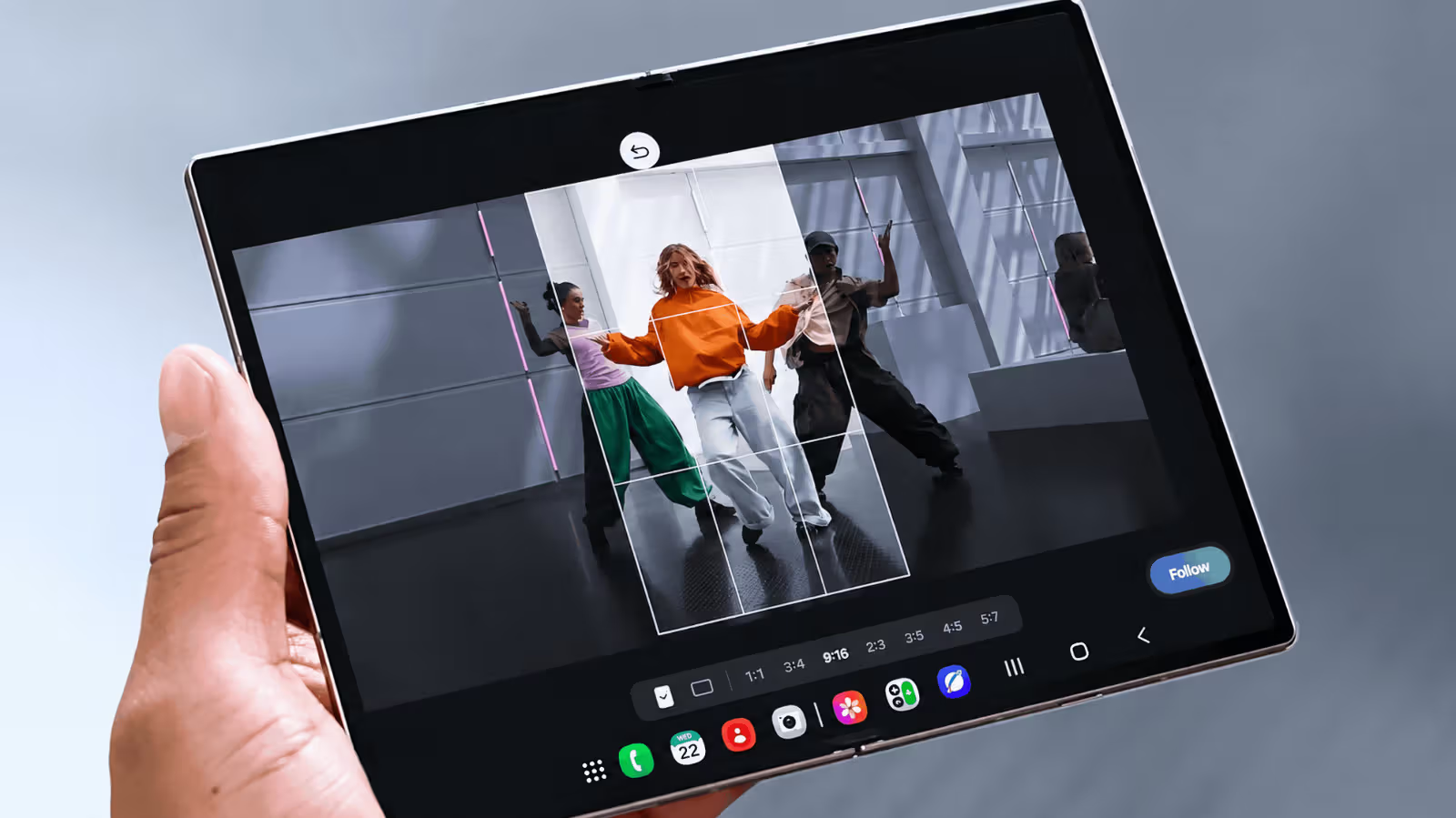
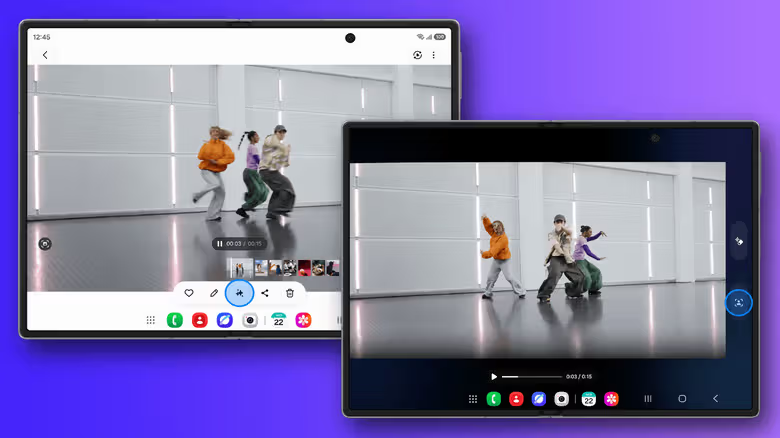
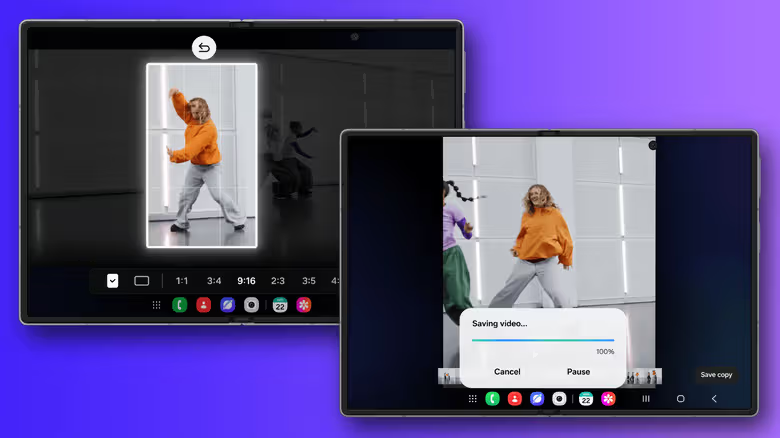
The feature lives inside Samsung Gallery's editing tools, and the workflow is straightforward: open Gallery, select a video you've already shot, tap the Galaxy AI icon, choose My FanCam, and let Galaxy AI identify the people in frame. Pick the person you want to track, choose an aspect ratio, then hit Follow — the system generates a recropped version of the video. The whole process happens after shooting, so there's nothing extra to switch on before you start recording.
Save the Aspect Ratio Decision for the Edit
Which aspect ratio you pick depends on where the video will end up. A vertical crop suits platforms built around vertical video, while a wider frame keeps more of the original scene intact. Because My FanCam works after the fact, you can leave that call for the editing stage instead of having to decide it while you're still filming.
That's also the key difference from Samsung's existing Auto Framing: Auto Framing adjusts the composition in real time while you record, whereas My FanCam only kicks in after you've finished recording. In other words, Auto Framing keeps a subject centered as you shoot, while My FanCam lets you shoot wide first — capturing the whole scene — and decide later who to follow.
Samsung notes that My FanCam can only recrop within what the original video actually captured. If you shot with a wide enough frame, Galaxy AI has more room to move the crop around afterward; if you shot tight to begin with, the usable footage is naturally limited. And once a subject has stepped out of frame during filming, My FanCam can't conjure footage that was never captured. Samsung also states the feature won't activate if it can't find a trackable subject, and it doesn't guarantee perfectly accurate tracking — for scenarios with unpredictable movement, like sports games or group performances, it's still safer to keep the person you want to capture steadily in frame while shooting.
Which Phones Get It
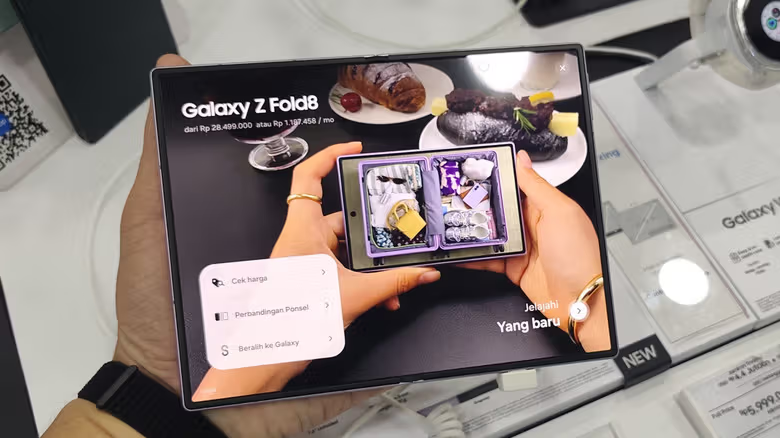
So far, the devices Samsung has shown off My FanCam on are the Galaxy Z Fold8 and Galaxy Z Fold8 Ultra, both running One UI 9, with My FanCam listed among the new Galaxy AI features in this update. One UI 9 itself isn't limited to these two phones — Samsung has already started rolling it out to the Galaxy Z Fold8 Ultra, Galaxy Z Fold8, and Galaxy Z Flip8, with more devices set to follow. Whether My FanCam comes along for the ride is less certain, though — Samsung says individual Galaxy AI features can vary by device, language, and region, so updating to One UI 9 doesn't automatically guarantee you'll get My FanCam.