Siri Ignoring You on CarPlay? The Problem Usually Isn't Siri Itself
Calling out to Siri while driving and getting nothing back? Don't be so quick to blame the voice assistant. The real culprit could be hiding in your iPhone settings, a wired or wireless connection issue, or even the car's own infotainment system. Working through each one methodically beats randomly poking at settings.
Maps and music are still running fine on the CarPlay screen, but Siri suddenly stops responding — it hears you but won't reply, or the volume is so low it sounds half-asleep. It's tempting to assume Siri itself is broken, but the actual starting point could be iPhone settings, the CarPlay connection, or the vehicle's own infotainment system — and troubleshooting each one looks completely different.
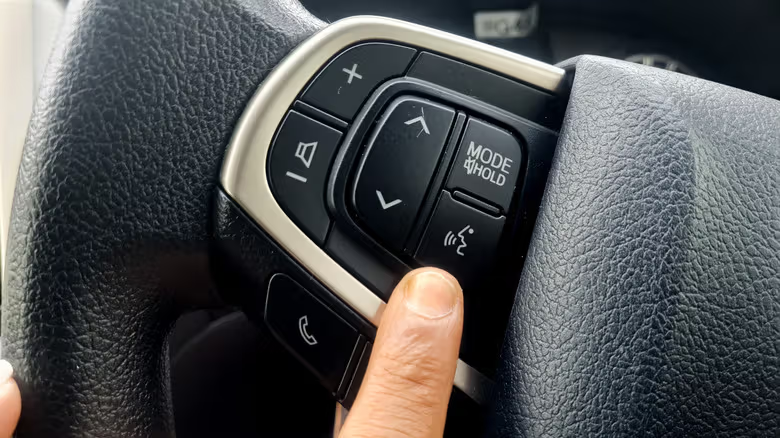
There are usually two ways to wake Siri: holding down the voice button on the steering wheel or infotainment system, or pressing and holding the Home button on the CarPlay screen. Some vehicles support the "Hey Siri" wake phrase, but if the button works while the wake phrase doesn't, that likely means the car simply doesn't support voice activation — no setting can fix that.
Rule out the iPhone first — it's the easiest thing to check
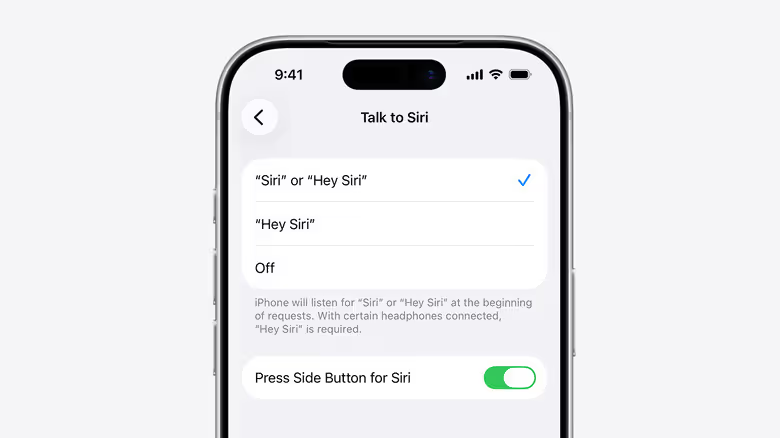
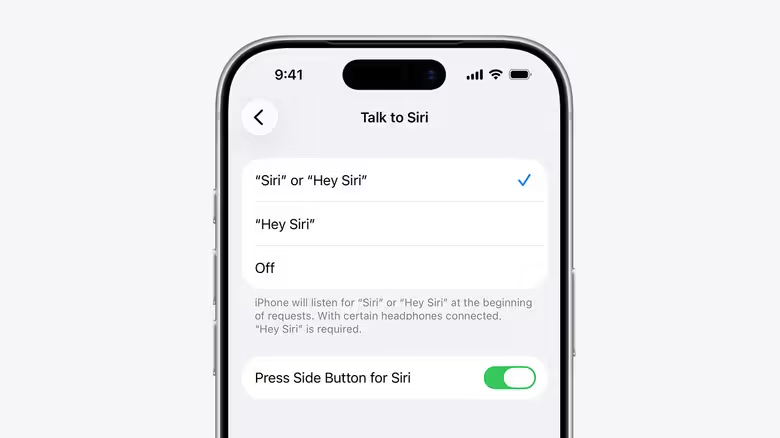
Voice activation settings live under Settings > Apple Intelligence & Siri (or Siri) > Talk to Siri. If toggling "Siri" or "Hey Siri" off and back on doesn't help, Apple's official recommendation is to redo the voice recognition setup process from scratch.
Two other easily-overlooked settings: Siri can be disabled while the iPhone is locked, which is a real headache if the phone stays tucked in a pocket, bag, or cup holder for the whole drive. On top of that, CarPlay itself might be switched off under Settings > Screen Time > Content & Privacy Restrictions > Allowed Apps.
Connectivity matters just as much. The CarPlay interface can look perfectly normal while Siri fails to respond simply because there's no network connection. Apple also notes that certain VPN profiles can break Siri, though it doesn't specify which VPN configurations are the problem.
The test is simple: disconnect from CarPlay and try Siri directly on the iPhone. If Siri won't respond on the phone itself, digging through the car's menus isn't going to work any miracles.
Works fine on the phone but breaks in the car? Look at the connection
If Siri goes back to normal the moment it's off CarPlay, the connection is the prime suspect. Wired and wireless CarPlay call for different checks: for wired connections, Apple recommends swapping in a different USB cable or trying a compatible USB port; wireless CarPlay depends on both Bluetooth and Wi-Fi, and requires "Auto-Join" to be enabled for the CarPlay network — a problem with either one can throw off voice features even when the CarPlay screen itself looks like it's running fine.
Officially recommended fixes include restarting both the iPhone and the vehicle, removing the car under Settings > General > CarPlay and re-pairing it, and checking with the automaker for any available infotainment firmware updates — simply rebooting the car's system isn't always enough anymore. If the whole CarPlay connection feels unstable, not just Siri specifically, checking the cable, pairing status, and vehicle compatibility is a better first move than fiddling endlessly with Siri settings.
There's also a situation often mistaken for Siri being broken: volume. If Siri understands commands and responds but the volume is barely audible, you can adjust the car's volume while Siri is speaking or while holding down the wake button. If Siri gives no audio response at all, there's a "Prefer Spoken Responses" option under Settings > Apple Intelligence & Siri > Siri Responses that can be turned on.