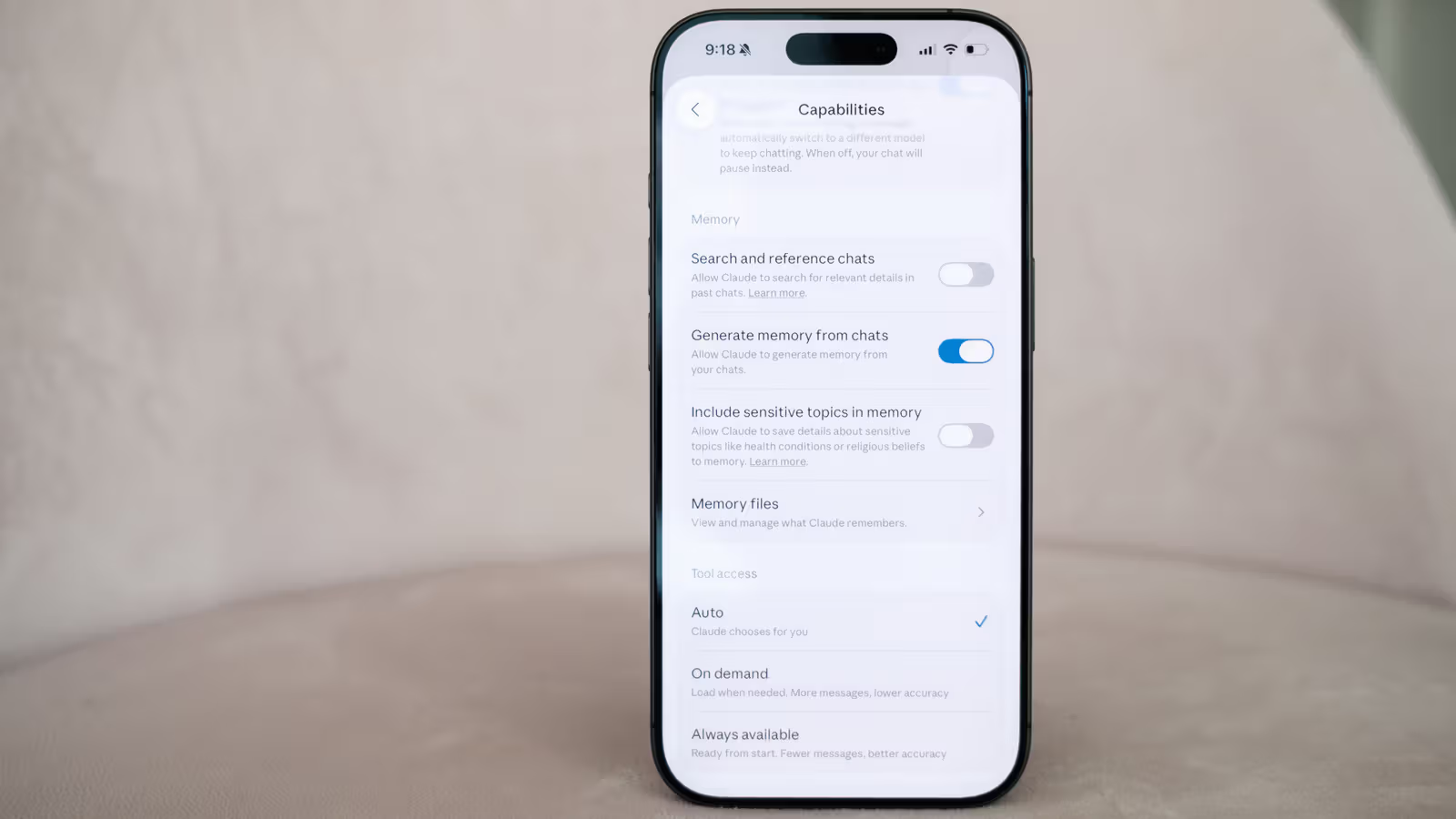
Claude gained the ability to remember across conversations starting summer 2025, sparing users from having to re-explain context every time they chat. The feature is on by default for all accounts, including free users. After a recent update, this memory now also carries over between Claude Cowork sessions. What's really worth noting is the new set of controls Anthropic has been rolling out over the past few weeks — users can now edit specific topics that Claude remembers, instead of only being able to wipe the whole thing at once.
On the web version at claude.ai, it's not complicated: go to Settings from the profile menu, click Memory, scroll down to the Topics section, and you'll see edit and delete icons next to each memory topic. Click the edit icon to type instructions in the prompt bar telling Claude how to modify that memory, or click delete to remove the topic entirely. The mobile path is slightly different — go to Settings from the profile icon, find Capabilities under the App category, then scroll down to Memory files to pick a topic to edit or delete using the trash icon.
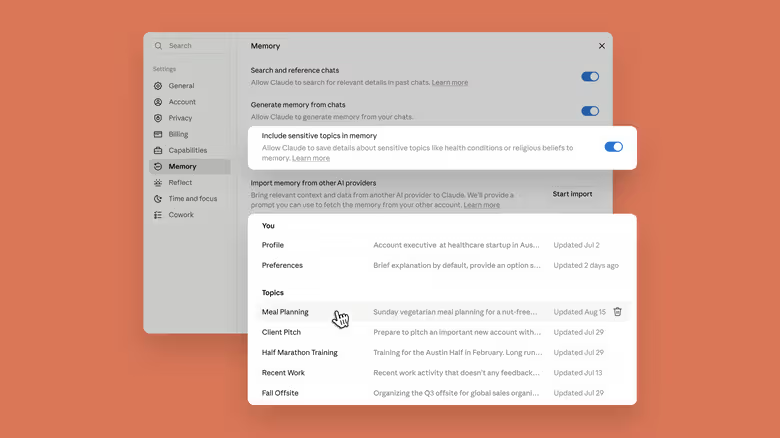
This update also adds a new option called Include sensitive topics in memory. By default, Claude won't store memories related to health, race, religious beliefs, political views, or gender identity. Only after a user actively turns on this option will Claude start recording this kind of sensitive information — and it'll show a prompt every time it generates a related memory. Anthropic notes that users on older versions or the mobile app won't see this prompt, and in that case Claude won't save the sensitive topic at all. Regardless of whether this option is turned on, Claude will never remember things like government-issued ID numbers, and the feature won't retroactively save memories from past conversations.