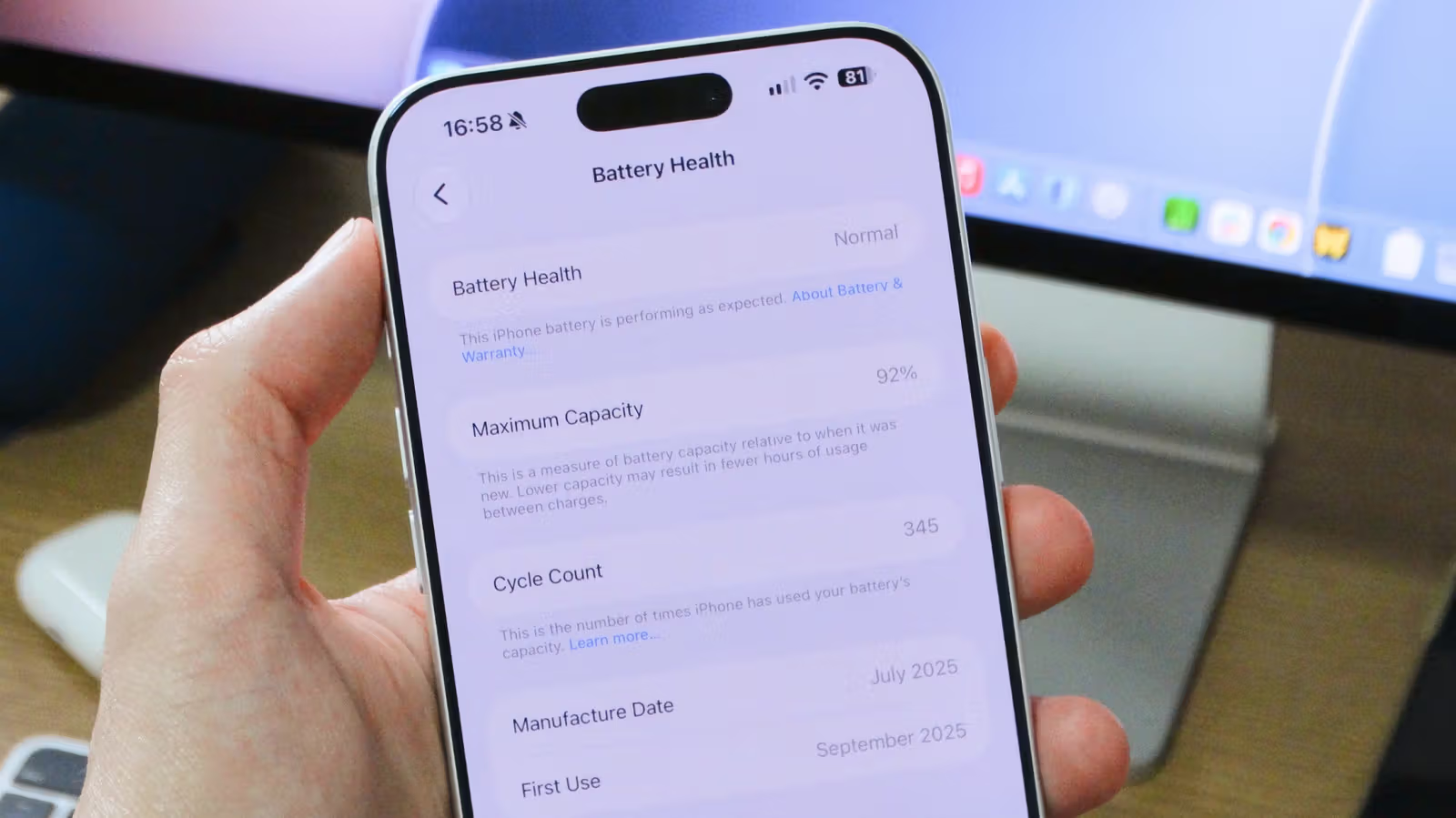
When buying a used iPhone, a seller's claim that "the battery's still great" usually isn't reliable. What actually matters are two numbers found on screen: the maximum capacity percentage and the cycle count. A tutorial from Engadget points out that both figures can be found directly in the iPhone's built-in Settings—no need to pay for a repair shop check or buy a diagnostic tool.
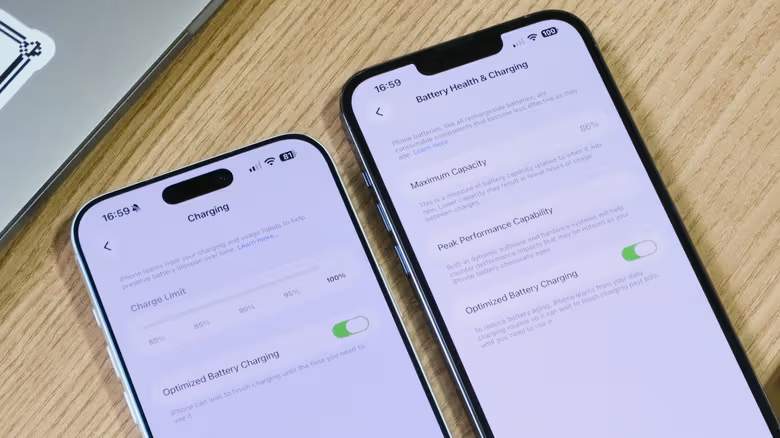
The path is straightforward: open the Settings app, tap Battery, and find Battery Health. On older models like the iPhone 13, this option is labeled "Battery Health & Charging." The screen shows the current battery capacity as a percentage of its original, brand-new state—this is the first indicator of how much the battery has degraded.
Once Maximum Capacity Drops Below 80%, Brace Yourself
According to Apple's official documentation, batteries are designed to retain up to 80% of their capacity under normal usage conditions; the iPhone 15 and later models base this estimate on 1,000 complete charge cycles, while older models use 500 cycles. Once health drops below 80%, the iPhone still functions, but battery life shortens noticeably.
If the battery has degraded significantly, iOS may activate performance management to prevent unexpected shutdowns caused by unstable power delivery—in this case, a warning message appears under the "Peak Performance Capability" section. If no warning shows up, the battery is currently functioning normally and running at full performance.